Why 404 Errors Hurt Your Shopify Store (and How to Fix Them Fast)
Ever clicked a link, full of anticipation, only to be met with a stark “404 Not Found” message? Frustrating, right? Now imagine that happening to your customers on your Shopify store. It’s not just a minor inconvenience; it’s a significant roadblock that can seriously damage your business.
In the competitive world of e-commerce, every click counts. A 404 error is like a closed door in your digital storefront, turning away potential sales and hurting your brand’s reputation. But don’t worry, there’s a straightforward solution: 301 redirects.
The Hidden Dangers of 404 Errors
You might think a broken link here or there isn’t a big deal, but the cumulative effect can be detrimental:
- Lost Sales and Conversions: This is the most immediate impact. A customer looking for a specific product or piece of information who hits a 404 is unlikely to dig around for it. They’ll simply leave, taking their potential purchase with them.
- Damaged User Experience: A smooth, intuitive shopping experience builds trust. Frequent 404s make your store look unprofessional and neglected, eroding customer confidence.
- SEO Penalties: Search engines like Google hate 404 errors. They see them as a sign of a poorly maintained website, which can negatively impact your search rankings. Fewer organic visitors mean less traffic and fewer sales.
- Wasted Crawl Budget: Search engine bots have a “crawl budget” for your site. Every time they encounter a 404, that budget is wasted on a non-existent page instead of discovering valuable content, further harming your SEO.
- Analytics Distortion: 404 errors can skew your analytics data, making it harder to accurately track user behavior and identify genuine issues on your site.
Enter the Hero: 301 Redirects
So, what’s the magic bullet for these pesky 404s? It’s called a 301 redirect.
A 301 redirect is a permanent redirection from one URL to another. In simple terms, when a customer (or a search engine bot) tries to access a page that no longer exists (the broken link), the 301 redirect automatically sends them to a different, relevant page on your store.
Think of it like this: You’ve moved your best-selling widget from aisle 5 to aisle 10. Instead of putting up a “Product Not Found” sign in aisle 5, you place a clear sign saying, “This product has moved to aisle 10!” and direct your customers there. A 301 redirect does exactly that, but online.
When Do You Need 301 Redirects?
You’ll commonly encounter situations requiring 301 redirects when you:
- Delete products or pages: If a product is discontinued or a blog post is no longer relevant, redirect its old URL to a similar product, category page, or your homepage.
- Change product or page URLs: When you update a product’s name, category, or simply want to optimize a URL for SEO, the old URL will become broken unless redirected.
- Restructure your store’s navigation: Moving entire sections or categories of products means their URLs will change.
- Merge duplicate content: If you have multiple pages with very similar content, you might merge them into one and redirect the old URLs to the new, canonical page.
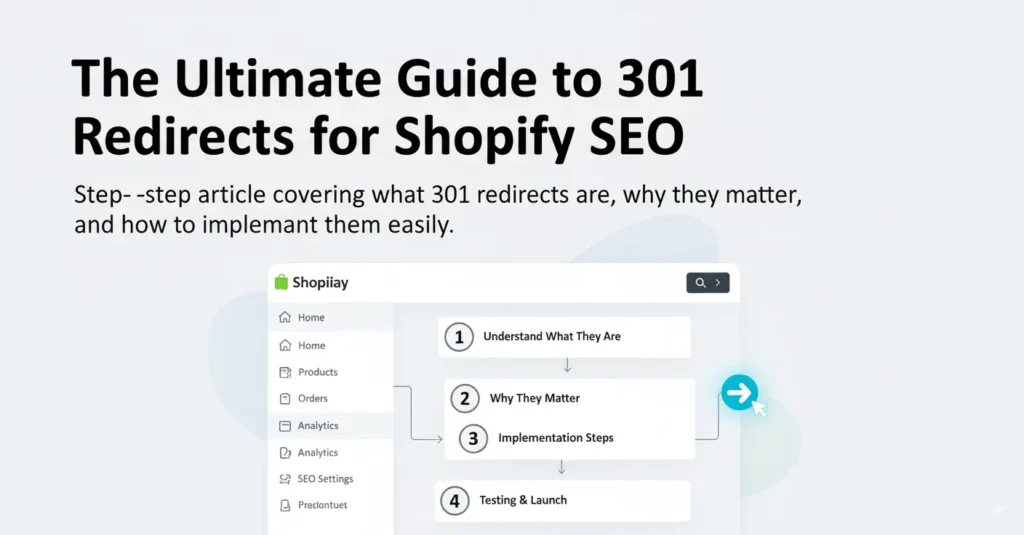
How to Implement 301 Redirects in Shopify (Fast!)
Shopify makes implementing 301 redirects relatively easy:
- From your Shopify admin, go to Online Store > Navigation.
- Click “URL Redirects.”
- Click “Create URL redirect.”
- In the “Redirect from” field, enter the old, broken URL. This is the path that’s currently leading to a 404.
- In the “Redirect to” field, enter the new, valid URL. This is where you want to send your customers. Make sure it’s a live, relevant page!
- Click “Save redirect.”
Pro Tip: Regularly audit your store for 404 errors. Tools like Google Search Console can help you identify broken links so you can create redirects proactively.
Don’t Let Broken Links Break Your Business
Ignoring 404 errors is like leaving money on the table. By proactively managing your redirects, you not only improve the customer experience and boost your SEO, but you also ensure that every click has the potential to turn into a valuable conversion.
Take a few minutes today to check for broken links and implement 301 redirects. Your customers (and your bottom line) will thank you for it!